Can You Freeze Your Credit Online for Free?
It's a common worry in today's digital world: with news of data breaches popping up constantly, many of us wonder if our personal financial information is truly safe. The fear of identity theft is very real, and the thought of someone opening accounts in your name or ruining your credit can be incredibly stressful. This guide is here to provide you with peace of mind by walking you through the straightforward, and thankfully free, process of freezing your credit online, giving you a powerful tool to protect your financial future.
Understanding Credit Freezes and Their Importance
Navigating the world of credit protection can feel overwhelming, with so many terms like "credit freeze," "credit lock," and "fraud alert" being thrown around. It's easy to get them all mixed up, or even worse, assume that one covers all your bases. Let's really dig into what a credit freeze is and why it's such a crucial line of defense in our increasingly interconnected lives.
What Exactly Is a Credit Freeze?
Think of a credit freeze, officially known as a security freeze, as essentially putting a padlock on your credit report. When your credit report is frozen, credit bureaus like Equifax, Experian, and TransUnion are blocked from releasing your credit file to potential creditors. This means that if an identity thief tries to apply for a new credit card, a loan, or even utilities in your name, the lender won't be able to access your credit report. Without that access, the application usually can't be approved, effectively stopping the fraud in its tracks. It's a preventative measure designed to make it much harder for criminals to open new accounts using your stolen information.
It's important to understand that a credit freeze is different from a credit lock or a fraud alert, though they all aim to protect you. A credit lock offers similar protection to a freeze but is often a service provided by credit bureaus or third-party companies, sometimes with a fee or as part of a paid monitoring package. Fraud alerts, on the other hand, simply flag your report, prompting lenders to take extra steps to verify your identity before extending credit. While useful, a fraud alert doesn't provide the same ironclad protection as a freeze. For a deeper dive into these options, you might want to read our article on Credit Freeze vs Credit Lock vs Fraud Alert.
The Real-World Impact of an Identity Theft
You might think identity theft happens to "other people," but the reality is that millions of Americans fall victim every year. Imagine waking up one day to find your mailbox stuffed with credit card statements for accounts you never opened, or worse, receiving calls from debt collectors about loans you know nothing about. This isn't just a hypothetical scenario; it's a painful reality for many. Fraudsters can use your Social Security number, address, and date of birth to open lines of credit, apply for utility services, or even get medical care in your name.
The consequences extend far beyond mere financial losses. Cleaning up the mess left by identity theft can take months, even years, of painstaking effort. You'll have to dispute fraudulent charges, file police reports, and spend countless hours communicating with creditors and credit bureaus. This process is emotionally draining, causing immense stress, anxiety, and a feeling of violation. Your credit score, which is so vital for life's big milestones like buying a home or car, can plummet, making it difficult to secure loans or even rent an apartment. Taking proactive steps, like freezing your credit, can save you from this harrowing experience. Understanding How to Report Identity Theft to the Credit Bureaus is crucial if you ever find yourself in this situation.
How to Freeze Your Credit Online for Free
For years, some people hesitated to freeze their credit because it could come with a fee, and the process was often cumbersome. Thankfully, that changed with the Economic Growth, Regulatory Relief, and Consumer Protection Act of 2018. This landmark legislation made credit freezes (and thaws) free for everyone, providing a powerful, no-cost tool for consumers to protect themselves. This means you no longer have to worry about paying a dime to secure your financial information.
The Three Major Credit Bureaus
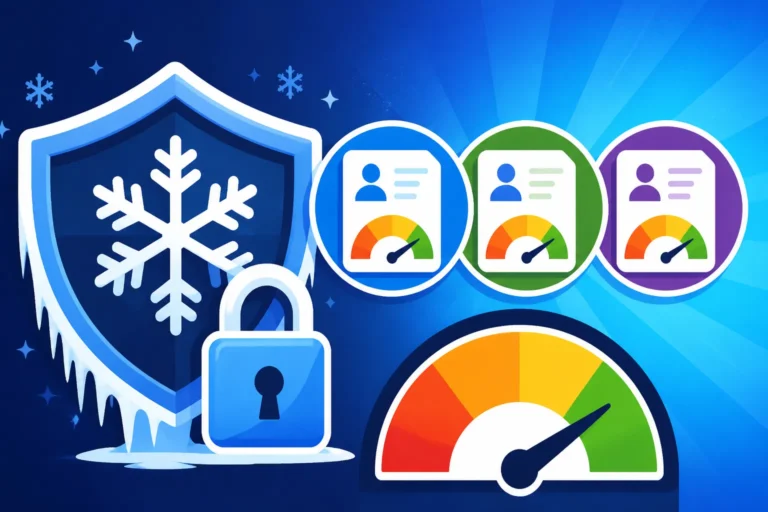
Here's the critical part: there isn't just one central place to freeze your credit. You need to contact each of the three major credit reporting agencies individually. These are:
- Equifax
- Experian
- TransUnion
Why all three? Because lenders don't all report to, or pull reports from, the same bureau. If you only freeze your credit with Equifax, an identity thief could still successfully open an account if the lender pulls their report from Experian or TransUnion. To ensure comprehensive protection, you absolutely must place a freeze with all three agencies. It's like locking all the doors and windows of your house, not just the front door. Our guide on The 3 Credit Bureaus: Equifax, Experian & TransUnion explains more about how these agencies operate.
Step-by-Step Guide for Each Bureau
The process for freezing your credit online is designed to be straightforward, though each bureau has its own specific portal. Here's a breakdown of what to expect:
Freezing Your Credit with Equifax
- Visit the Equifax Security Freeze Page: Head directly to Equifax's dedicated security freeze page on their official website. You can usually find this by searching for "Equifax security freeze."
- Initiate the Freeze: Look for an option to "Place a Security Freeze" or "Freeze Your Credit File."
- Provide Your Information: You'll be asked to provide identifying details such as your full name, current and previous addresses, Social Security number, and date of birth. Make sure all information is accurate to avoid delays.
- Confirm and Receive Confirmation: After submitting your request, Equifax will provide a confirmation. It's a good idea to save or print this confirmation, which often includes a PIN or password. This PIN is crucial if you ever need to lift or thaw your freeze in the future.
Freezing Your Credit with Experian
- Go to Experian's Security Freeze Center: Navigate to the Experian website and locate their security freeze section.
- Select "Add a Security Freeze": Choose the option to add or place a security freeze.
- Enter Your Personal Details: Similar to Equifax, Experian will request your personal information to verify your identity. Be thorough and accurate.
- Create a PIN or Account: Experian typically assigns you a PIN or asks you to create an account for managing your freeze. Keep this PIN and account credentials in a very safe place, as you'll need them to temporarily lift the freeze or unfreeze it entirely.
- Verify Confirmation: You'll receive confirmation once the freeze is successfully placed.
Freezing Your Credit with TransUnion
- Access TransUnion's Freeze Page: Go to TransUnion's official website and find their security freeze page.
- Start the Freeze Process: Look for the option to "Add a Security Freeze" or "Place a Freeze."
- Input Your Identifying Information: Provide your full name, address history, Social Security number, and date of birth.
- Obtain Your PIN: TransUnion will provide you with a unique PIN. This PIN is your key to managing your credit freeze, so safeguard it carefully.
- Confirm Application: Ensure you receive a confirmation that your freeze has been successfully applied.
Remember, placing a freeze online typically takes effect very quickly, often within minutes for online requests. If you mail in a request, it might take a few business days. The key is to be meticulous with your information and to securely store any PINs or account information provided by the bureaus. For comprehensive protection, our guide on How to Freeze Your Credit All 3 Bureaus provides even more detailed steps.
Information You'll Need to Freeze Your Credit
When you're ready to initiate a credit freeze, gathering your personal information beforehand will make the process much smoother and quicker. The credit bureaus need to verify your identity to ensure that you are the one requesting the freeze, not an imposter. Here’s a list of what you’ll typically need:
- Your Full Legal Name: As it appears on official documents.
- Current and Previous Addresses: They might ask for all addresses where you've lived over a certain period (e.g., the last two years) to ensure they can match you to their records.
- Date of Birth: To confirm your age.
- Social Security Number (SSN): This is the primary identifier for your credit file.
- Government-Issued ID: While you won't usually upload it for an online freeze, having the details ready for verification questions can be helpful.
It’s paramount that you enter this information accurately. Any discrepancies could lead to delays or issues in placing the freeze. Once you have successfully initiated the freeze with each bureau, they will typically provide you with a unique Personal Identification Number (PIN) or allow you to create an online account with a password. This PIN or password is your key to managing your freeze in the future, whether you need to temporarily lift it or remove it entirely. Treat this information like gold – keep it somewhere safe and accessible, but not easily found by others.
What Happens After You Freeze Your Credit?
So, you've successfully frozen your credit with all three bureaus. Congratulations! You've taken a significant step in protecting yourself from identity theft. But what does this mean for your financial life moving forward? It's natural to have questions about how a freeze might impact your ability to apply for new credit or access existing accounts. Let's clear up some of those concerns.
How a Credit Freeze Affects New Credit Applications
The primary purpose of a credit freeze is to prevent new accounts from being opened in your name without your consent. This means that if you decide to apply for any new credit – a credit card, a mortgage, a car loan, or even some utility services – the lender will not be able to pull your credit report. When a lender can't access your report, they typically cannot approve your application. This is exactly what you want if an identity thief is at work, but it also means you will need to temporarily lift or "thaw" your freeze before applying for legitimate credit.
For instance, if you're looking to buy a new car, the dealership will need to check your credit. Before you go to the dealership, you'll need to contact each of the three credit bureaus with whom you've placed a freeze and instruct them to temporarily lift it for a specific period or for a specific creditor. It's important to remember that existing creditors (like your current credit card companies or mortgage lender) can still access your file for account reviews or to offer you existing promotions. A freeze only restricts access for new credit applications. Understanding the distinction between What Is a Soft Inquiry vs a Hard Inquiry can help clarify which activities are affected. Hard inquiries, which happen when you apply for new credit, are the ones blocked by a freeze.
Temporarily Thawing or Permanently Unfreezing Your Credit
Life happens, and there will undoubtedly be times when you need to grant access to your credit report. This is where the ability to temporarily thaw or permanently unfreeze your credit comes in handy. The process for doing so is just as free and relatively simple as placing the freeze itself, thanks to that same 2018 law.
Temporarily Lifting Your Freeze (Thawing)
When you know you're about to apply for credit, such as a new credit card, a personal loan, or even getting approved for a new apartment, you'll need to temporarily lift your credit freeze. This is often called "thawing" your credit.
- Log In or Use Your PIN: You'll typically go back to the same online portals you used to place the freeze for Equifax, Experian, and TransUnion. You'll need the PIN or account credentials you created when you initially set up the freeze.
- Specify Duration or Recipient: You usually have two main options:
- Time-based thaw: You can lift the freeze for a specific number of days (e.g., 3, 7, or 14 days). This is useful if you're shopping around for a loan and expect multiple lenders to pull your report.
- Single-user thaw: Some bureaus allow you to lift the freeze specifically for a particular lender or company using a unique access code provided to that company. This offers more targeted control.
- Confirm: Once you've chosen your option, confirm the thaw. The freeze will automatically reinstate itself after the specified duration if you chose a time-based thaw.
It's highly recommended that you only thaw your credit for the shortest necessary period and only with the bureaus that the specific lender will be checking. For instance, if your mortgage lender explicitly states they only pull from Experian, you might only need to thaw with Experian. However, when in doubt, thawing with all three for a short period is the safest bet to ensure your application goes through smoothly. We have a dedicated article on How to Unfreeze Your Credit Temporarily that goes into more detail.
Permanently Removing Your Freeze (Unfreezing)
If you decide you no longer want the protection of a credit freeze, you can also permanently unfreeze your credit. The process is similar to thawing:
- Access the Bureau's Portal: Log in to your account or use your PIN on each of the three credit bureau websites.
- Select "Remove Security Freeze": Choose the option to permanently remove the freeze.
- Confirm: Confirm your decision. Your credit file will then be accessible to anyone requesting it, just as it was before the freeze.
While you can permanently unfreeze your credit, many financial experts recommend keeping it frozen indefinitely and only thawing it when absolutely necessary. Given the ongoing threat of identity theft and the fact that freezing and thawing are free, it's a small inconvenience for significant protection.
Common Questions and Misconceptions About Credit Freezes
Even with clear instructions, there are still a lot of lingering questions and sometimes outright myths floating around about credit freezes. Let's tackle some of the most common ones to ensure you have all the facts. It’s important to distinguish between what’s true and what’s not, especially when it comes to something as vital as your financial security.
Does Freezing Your Credit Affect Your Score?
This is perhaps the most common question people ask, and it’s a valid concern. After all, anything involving your credit report often feels like it could swing your score one way or another. Here's the good news: No, freezing your credit does not affect your credit score in any way. A credit freeze is purely a security measure. It restricts access to your credit report, but it doesn't change any of the underlying information on that report. It has no bearing on your payment history, your credit utilization, the length of your credit history, or any other factor that contributes to your FICO or VantageScore.
Think of it this way: your credit score is a reflection of your financial behavior – how well you manage debt, pay bills on time, and use credit responsibly. A credit freeze simply puts up a barrier to prevent unauthorized new credit from being opened in your name. It doesn't tell lenders or scoring models anything about your payment habits or how much debt you carry. So, you can freeze your credit without worrying about your score taking a hit. For more insights on this, check out our article: Does Freezing Your Credit Hurt Your Score?. Your credit score is influenced by factors like payment history, amounts owed, length of credit history, credit mix, and new credit, as explained in What Affects Your Credit Score? The 5 Factors.
Credit Freeze vs. Credit Lock vs. Fraud Alert
These three terms often get used interchangeably, but they offer distinct levels and types of protection. Understanding the differences is key to choosing the right strategy for your personal security needs.
Let's break them down in a table for clarity:
| Feature | Credit Freeze | Credit Lock | Fraud Alert |
|---|---|---|---|
| Purpose | Prevents anyone (including you) from opening new credit requiring a credit check. | Similar to a freeze but typically easier to turn on/off. | Warns lenders to verify identity for new credit applications. |
| Legal Basis | Federally mandated, free for all consumers (since 2018). | Offered as a service by bureaus or third parties. | Federally mandated, free for all consumers. |
| Cost | Free | Often free through bureau apps, sometimes part of paid services. | Free |
| Ease of On/Off | Requires PIN/account, usually takes minutes online. | Often instant via mobile app or online portal. | Placed once; typically lasts 1 year (initial) or 7 years (extended). |
| Protection Level | Highest – virtually stops new credit fraud. | High – similar to a freeze, but proprietary. | Moderate – relies on lenders to follow verification steps. |
| Who Can Access | Existing creditors, certain government agencies, employers (if for existing employment). | Existing creditors, certain government agencies, employers (if for existing employment). | All permitted parties can still access, but with an alert. |
| Duration | Indefinite, until you lift it. | Indefinite, until you unlock it. | Initial: 1 year; Extended: 7 years (requires identity theft report). |
Credit Freeze: As we've discussed, this is the strongest protection. It completely blocks access to your credit report for new credit applications. If you need new credit, you have to actively thaw it, either for a specific period or for a specific lender. It's a bit like chaining your front door shut – nothing new is getting in without you explicitly unlocking it.
Credit Lock: Many people confuse a credit lock with a freeze because they function similarly in preventing new credit applications. However, a credit lock is typically a service offered by the credit bureaus themselves (often through their mobile apps or paid credit monitoring services). The primary difference is the ease of control. A lock can often be turned on and off instantly with a swipe in an app, whereas a freeze, while quick online, requires going through a specific process with your PIN or account credentials. While many bureaus offer free credit locks, the legal protections associated with a freeze are stronger.
Fraud Alert: A fraud alert is a statement added to your credit file that advises lenders to take extra steps to verify your identity before extending credit. If you place an initial fraud alert, it lasts for one year and is free. You only need to place it with one bureau, and that bureau will notify the other two. An extended fraud alert lasts for seven years and requires you to have filed an identity theft report. While a fraud alert can be helpful, it relies on the lender actually following the verification steps, which isn't always guaranteed. It's a warning sign, not a roadblock.
For most people, a credit freeze offers the most robust and secure protection against identity theft for new accounts, especially since it's now completely free and federally mandated. It requires a tiny bit more effort to manage than a credit lock, but that extra layer of intentionality is often seen as a benefit for security.
Disclaimer
The information provided in this article is for general informational purposes only and does not constitute financial or legal advice. While we strive to provide accurate and up-to-date content, laws and regulations regarding credit and identity theft can change. Always consult with a qualified financial advisor or legal professional for advice tailored to your specific situation.